


Buying your first smartphone can feel overwhelming because there are hundreds of models available with different prices, features, and specifications. Manufacturers often advertise technical terms that may confuse new buyers, making it difficult to know which phone offers the best value.
A smartphone is more than a communication device. It is used for browsing the internet, online learning, social media, banking, shopping, photography, entertainment, navigation, work, and video calls. Choosing the right phone ensures you get a device that meets your daily needs without spending more than necessary.
This guide explains everything a first-time buyer should know before purchasing a smartphone, including operating systems, displays, processors, cameras, battery life, storage, security, and common mistakes to avoid.
Why Choosing the Right Smartphone Matters
A smartphone is an investment that most people use every day for several years. Buying the wrong device can lead to slow performance, limited storage, poor battery life, or outdated software.
A good smartphone should provide:
- Reliable daily performance
- Good battery life
- Clear display
- Quality cameras
- Enough storage
- Regular software updates
- Strong security features
- Good value for money
Step 1: Decide Your Budget
The first step is determining how much you want to spend.
Budget Phones ($100–$300)
Suitable for:
- Students
- Basic users
- Social media
- Video streaming
- Online classes
- Messaging
- Web browsing
Mid-Range Phones ($300–$700)
Offer:
- Better cameras
- Faster processors
- Premium displays
- Improved build quality
- Better gaming performance
Premium Phones ($700+)
Provide:
- Flagship processors
- Professional cameras
- Advanced AI features
- Wireless charging
- Premium materials
- Longer software support
For most first-time buyers, a budget or mid-range phone is sufficient.
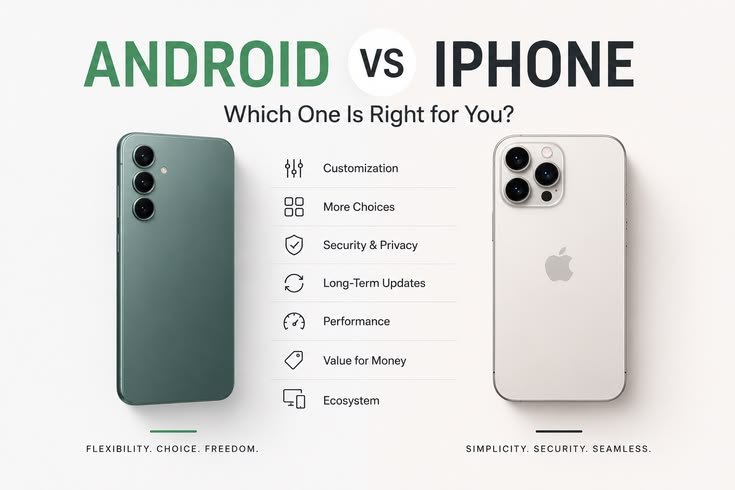
Step 2: Choose an Operating System
There are two main smartphone operating systems.
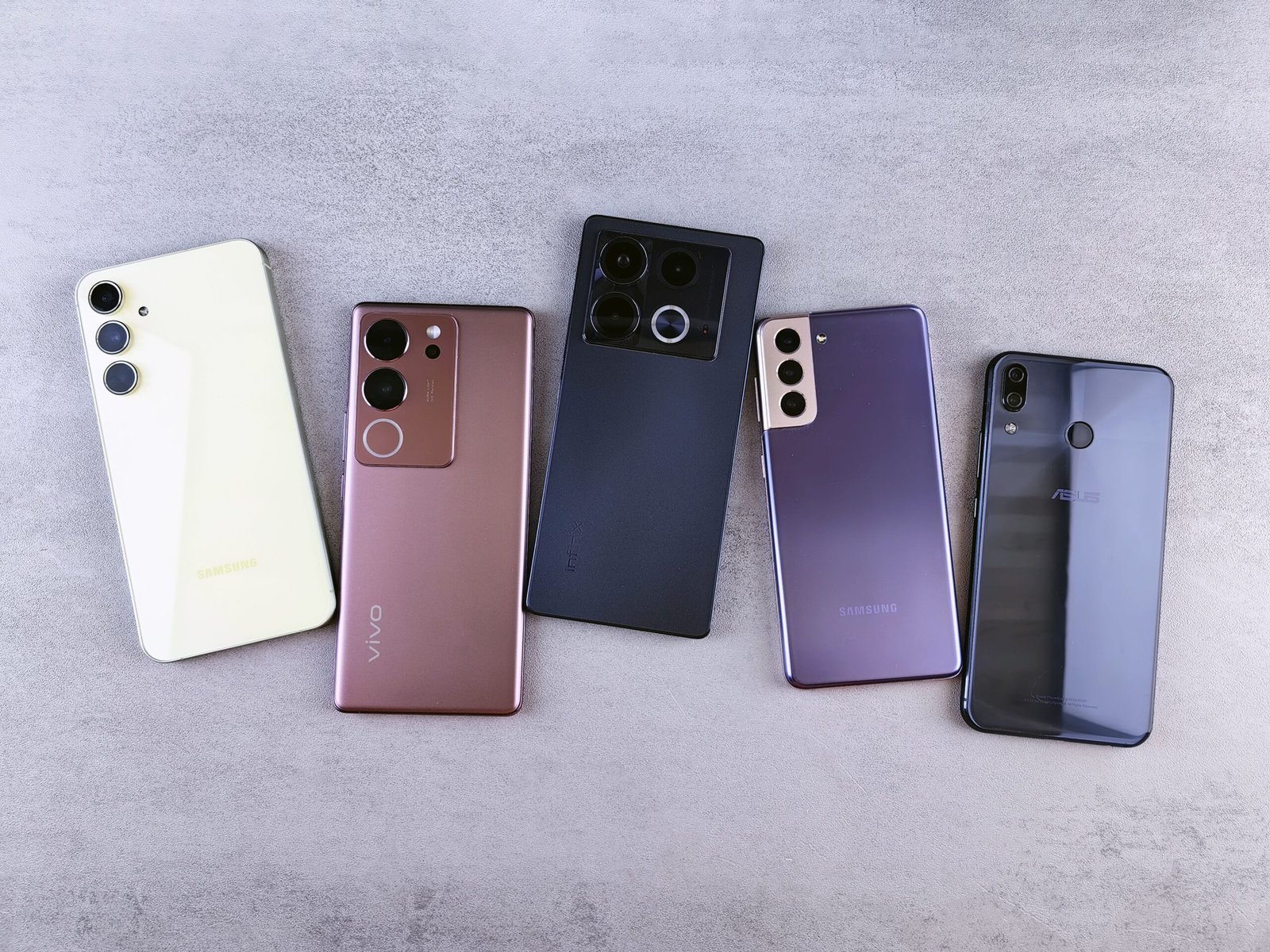
Android
Android is available from many brands, including Samsung, Google, Motorola, OnePlus, Xiaomi, Oppo, Vivo, and others.
Advantages:
- Large variety of devices
- Different price ranges
- High customization
- Expandable storage on many phones
- Wide hardware choices
Best for users who want flexibility.
iPhone (iOS)
Apple develops both the hardware and software for iPhones.
Advantages:
- Easy to use
- Regular software updates
- Strong privacy
- Excellent app optimization
- Smooth performance
Best for users who prefer simplicity and long-term support.
Step 3: Understand the Processor
The processor is the phone’s main computing component. It affects speed, multitasking, gaming, and battery efficiency.
Popular processors include:
- Qualcomm Snapdragon
- MediaTek Dimensity
- Samsung Exynos
- Google Tensor
- Apple A-Series chips
A newer processor generally provides better performance and longer software compatibility.
Step 4: Choose the Right RAM
RAM allows multiple applications to run smoothly.
Recommended amounts:
| RAM | Suitable For |
|---|---|
| 4GB | Basic use |
| 6GB | Everyday multitasking |
| 8GB | Gaming and heavy usage |
| 12GB+ | Professional users |
For most buyers, 6GB or 8GB offers the best balance.
Step 5: Select Enough Storage
Storage holds apps, photos, videos, and documents.
Common options include:
- 64GB
- 128GB
- 256GB
- 512GB
Recommendation
Choose at least 128GB if you plan to keep the phone for several years.
If available, expandable storage through a microSD card provides additional flexibility.
Step 6: Compare Display Quality
A smartphone display affects everything from reading text to watching videos.
Look for:
- Full HD+ resolution
- AMOLED or OLED display
- 90Hz or 120Hz refresh rate
- High brightness
- Good color accuracy
AMOLED Benefits
- Better contrast
- Deeper blacks
- Improved outdoor visibility
- Lower power consumption with dark themes
Step 7: Evaluate Camera Performance
Camera quality depends on more than megapixels.
Consider:
- Main sensor quality
- Image processing
- Low-light performance
- Video stabilization
- Autofocus
- Ultra-wide lens quality
A well-optimized 50MP camera often produces better images than a poorly optimized 108MP camera.
Step 8: Battery Life
Battery capacity is measured in milliamp-hours (mAh).
Recommended:
- 5,000mAh or higher
This usually provides a full day of normal use.
Also consider charging speed.
Examples:
- 25W
- 33W
- 45W
- 67W
Faster charging reduces downtime.
Step 9: Check Software Updates
Software updates improve:
- Security
- Performance
- New features
- Stability
Choose manufacturers known for providing regular updates.
Long software support increases the useful life of your smartphone.
Step 10: Security Features
Modern smartphones include multiple security options.
Look for:
- Fingerprint scanner
- Face unlock
- Device encryption
- Secure app permissions
- Automatic security updates
These features help protect personal information.
Step 11: Connectivity
Before buying, ensure the phone supports:
- 5G (if available in your area)
- Wi-Fi 6 or newer
- Bluetooth
- NFC (for contactless payments)
- USB Type-C
Step 12: Build Quality
Build quality affects durability.
Common materials:
- Plastic
- Aluminum
- Glass
Premium materials feel more durable but often increase the price.
Water and dust resistance is an added advantage.
Step 13: Compare Brands
Popular smartphone brands include:
- Samsung
- Apple
- Motorola
- OnePlus
- Xiaomi
- Oppo
- Vivo
- Nothing
Compare warranty, software support, and customer service before deciding.
Features Worth Paying For
- AMOLED display
- 120Hz refresh rate
- 5G connectivity
- Fast charging
- Large battery
- Good software support
- Stereo speakers
- Optical image stabilization
- Water resistance
Features You May Not Need
Some advertised features add cost without benefiting every user.
Examples:
- 200MP cameras
- 16GB RAM
- Premium gaming features
- Foldable displays
- Wireless charging
- Satellite connectivity
Only pay for features you will actually use.
Common Buying Mistakes
Avoid these mistakes:
- Buying based only on megapixels
- Ignoring software updates
- Choosing too little storage
- Buying the cheapest option without comparing features
- Ignoring battery life
- Overlooking warranty coverage
- Purchasing from unauthorized sellers
- Not reading verified reviews
Best Smartphones for Different Users
Students
- Samsung Galaxy A Series
- Motorola Moto G Series
- Redmi Note Series
Professionals
- Google Pixel A Series
- Samsung Galaxy A Series
- iPhone SE (where available)
Photography
- Google Pixel
- Samsung Galaxy
- iPhone
Gaming
- OnePlus Nord
- Poco X Series
- Redmi Note Series
Seniors
- Samsung Galaxy A Series
- Motorola Moto G
- iPhone with simplified accessibility settings
Accessories to Buy
Essential accessories include:
- Protective case
- Screen protector
- USB-C charger (if not included)
- Power bank
- Wireless earbuds
- Car charger
- Phone stand
Protecting your phone can reduce repair costs.
Smartphone Maintenance Tips
- Keep software updated.
- Avoid extreme temperatures.
- Use original charging accessories.
- Remove unused apps.
- Back up important files.
- Clean the charging port regularly.
- Avoid overcharging for extended periods.
- Restart the phone occasionally.
Frequently Asked Questions
Should I buy Android or iPhone?
Choose Android for flexibility and a wider range of prices. Choose iPhone if you prefer simplicity, long-term software support, and seamless integration with other Apple devices.
How much storage do I need?
For most users, 128GB is the recommended minimum for long-term use.
Is 5G necessary?
If your mobile network supports 5G and you plan to keep the phone for several years, buying a 5G-compatible device is a good choice.
Does more RAM always mean better performance?
More RAM helps with multitasking, but the processor and software optimization also play major roles.
Are expensive phones always better?
Not necessarily. Many mid-range phones provide excellent performance and features for everyday use.
How long should a smartphone last?
With proper care and regular software updates, a quality smartphone can remain reliable for 4–6 years, depending on the manufacturer and usage.
Should I buy online or in a store?
Both are good options. Compare prices, warranty coverage, and seller reputation before purchasing.
What should I check before buying?
Verify the processor, RAM, storage, display, battery, camera quality, software support, warranty, and compatibility with your mobile carrier.
Final Thoughts
Buying your first smartphone does not have to be difficult. Start by setting a realistic budget, then compare devices based on performance, display quality, battery life, camera capabilities, software support, and storage. Avoid focusing only on marketing terms or the highest specifications, and instead choose a phone that matches your daily needs.
A well-balanced smartphone with a reliable processor, at least 6GB of RAM, 128GB of storage, a 5,000mAh battery, and regular software updates will provide a smooth experience for years. Taking the time to compare options before making a purchase will help you find the best value and ensure your first smartphone is one you can rely on every day.





Leave a Reply