

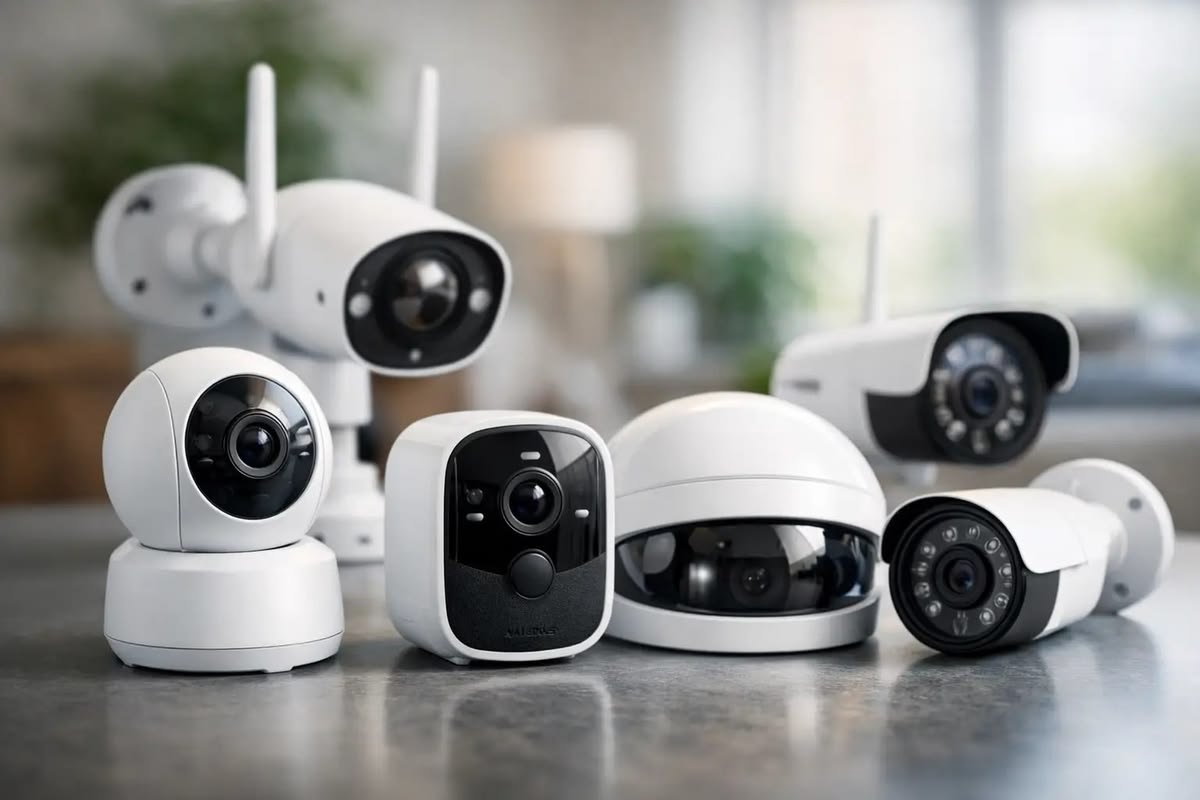
Smart security cameras have become one of the most popular home security devices because they allow homeowners and business owners to monitor their property from anywhere. Modern cameras offer high-definition video, motion detection, night vision, two-way audio, cloud storage, and smartphone notifications, making it easier than ever to keep an eye on what matters most.
Unlike traditional CCTV systems, smart security cameras connect to the internet and allow users to view live video, receive instant alerts, and review recorded footage using a mobile app or web browser. Whether you want to protect your home, office, garage, warehouse, or small business, choosing the right smart camera requires understanding the available features and selecting a model that matches your security needs.
This guide explains everything you need to know before purchasing a smart security camera.
Why Install a Smart Security Camera?
Security cameras provide much more than video recording. They improve awareness, discourage unwanted activity, and allow users to monitor their property even when they are away.
Benefits include:
- Remote monitoring
- Crime deterrence
- Motion detection alerts
- Evidence recording
- Package monitoring
- Child and pet monitoring
- Business security
- Visitor management
- Increased property safety
Many insurance providers also recognize security improvements when evaluating property protection.
Indoor vs Outdoor Cameras
Choosing between indoor and outdoor cameras depends on where the device will be installed.
Indoor cameras are designed for monitoring rooms, hallways, nurseries, offices, or pets. They are usually compact, lightweight, and intended for protected environments.
Outdoor cameras are built to withstand rain, dust, heat, and cold weather. They feature weather-resistant housings and often include stronger night vision and wider viewing angles.
Many homeowners use both types to create complete property coverage.
Video Resolution
Video quality is one of the most important factors when selecting a camera.
Common resolutions include:
- 720p HD
- 1080p Full HD
- 2K
- 4K Ultra HD
Higher resolutions provide clearer images, making it easier to identify faces, vehicles, and other important details. For most homes, Full HD or 2K offers an excellent balance between image quality and storage requirements.
Field of View
The field of view determines how much area the camera can capture.
A wider viewing angle reduces blind spots and allows one camera to monitor larger spaces.
Typical viewing angles range from:
- 90°
- 110°
- 130°
- 160°
- 180°
Large driveways, garages, and open yards often benefit from wider viewing angles.
Night Vision
Most security incidents occur after dark, making night vision a critical feature.
Modern cameras use infrared LEDs or advanced low-light sensors to produce clear images at night.
Some premium cameras also offer color night vision, allowing users to see more detail compared to traditional black-and-white infrared footage.
Motion Detection
Motion detection allows cameras to begin recording automatically when movement is detected.
Advanced systems can recognize:
- People
- Vehicles
- Animals
- Packages
- General movement
Smart motion detection helps reduce unnecessary recordings and provides faster notifications.
Two-Way Audio
Many smart cameras include built-in microphones and speakers.
This allows users to:
- Speak with visitors
- Communicate with delivery drivers
- Warn unwanted visitors
- Monitor family members
- Listen to activity around the property
Two-way audio adds convenience and enhances security.
Storage Options
Security footage must be stored for future viewing.
Most cameras support one or more storage methods.
Cloud Storage
Cloud storage saves recordings online.
Advantages include:
- Remote access
- Automatic backups
- Easy sharing
- Protection against device theft
Some providers require a monthly subscription.
Local Storage
Many cameras support:
- MicroSD cards
- Network video recorders (NVR)
- Digital video recorders (DVR)
- External storage devices
Local storage eliminates recurring subscription costs but may be vulnerable if the camera is stolen or damaged.
Wired vs Wireless Cameras
Wired cameras receive continuous power and often provide stable connections.
Advantages:
- Reliable operation
- Continuous recording
- No battery charging
- Stable network connection
Wireless cameras communicate through Wi-Fi and are easier to install.
Advantages:
- Flexible placement
- Simple installation
- Portable
- Fewer cables
The best choice depends on your property and installation preferences.
Smart Notifications
Modern cameras can send instant alerts when activity occurs.
Notifications may include:
- Motion detection
- Person detection
- Vehicle detection
- Package arrival
- Door opening
- Camera tampering
Fast notifications allow users to respond quickly when unusual activity is detected.
Mobile App Features
A quality security camera app should provide:
- Live video streaming
- Playback recordings
- Camera settings
- Motion alerts
- Activity history
- Device sharing
- Remote control
An intuitive app greatly improves the overall user experience.
Weather Resistance
Outdoor cameras should include weather-resistant construction.
Look for devices rated to handle:
- Rain
- Dust
- Snow
- Heat
- Humidity
- Cold temperatures
Weather resistance ensures reliable operation throughout the year.
Privacy and Security
Internet-connected cameras should protect your personal information.
Choose cameras that support:
- End-to-end encryption
- Two-factor authentication
- Secure cloud storage
- Regular firmware updates
- Strong password protection
Maintaining secure account credentials helps reduce the risk of unauthorized access.
Power Options
Security cameras may use:
- AC power
- Rechargeable batteries
- Solar panels
- Ethernet with Power over Ethernet (PoE)
Battery-powered models are convenient for locations without electrical wiring, while wired systems are better suited for continuous monitoring.
AI Features
Modern smart cameras often include artificial intelligence to improve detection accuracy.
Useful AI features include:
- Facial recognition
- Human detection
- Vehicle recognition
- Animal detection
- Activity zones
- Smart search
These features reduce false alerts caused by wind, rain, or moving branches.
Best Locations for Installation
Proper placement improves camera effectiveness.
Recommended locations include:
- Front door
- Back entrance
- Garage
- Driveway
- Backyard
- Main hallway
- Living room
- Office entrance
- Warehouse loading area
Avoid placing cameras where they point directly into bright sunlight, as excessive glare can reduce image quality.
Common Buying Mistakes
Many buyers focus only on price without considering image quality, storage options, or long-term software support.
Other common mistakes include:
- Buying cameras with poor night vision
- Ignoring weather resistance
- Overlooking subscription costs
- Installing cameras too high or too low
- Using weak Wi-Fi networks
- Choosing products without security updates
- Not checking compatibility with existing smart home devices
Taking time to compare features helps ensure a better investment.
Features Worth Paying For
When shopping for a smart security camera, prioritize features that improve usability and long-term value.
Recommended features include:
- Full HD or higher resolution
- Night vision
- Motion detection
- Person detection
- Two-way audio
- Mobile app support
- Cloud and local storage
- Weather resistance
- Wide viewing angle
- Secure encryption
These features provide dependable performance for most homes and small businesses.
Frequently Asked Questions
Do smart security cameras require Wi-Fi?
Most smart cameras use Wi-Fi for remote viewing and notifications. Some wired systems use Ethernet connections instead.
Is cloud storage necessary?
No. Many cameras support local storage using memory cards or network recorders, although cloud storage provides convenient remote access and automatic backups.
Can smart cameras record continuously?
Yes. Many wired cameras support continuous recording, while battery-powered models often record only when motion is detected to conserve power.
Are smart security cameras secure?
They can be secure when protected with strong passwords, two-factor authentication, encrypted connections, and regular firmware updates.
How many cameras does a typical home need?
The number depends on property size. Many homes benefit from cameras covering the front entrance, backyard, driveway, and main indoor entry points.
Can I install a smart camera myself?
Most consumer smart cameras are designed for easy installation using mobile apps and basic tools. Larger wired systems may require professional installation.
What resolution should I choose?
For most users, 1080p Full HD or 2K provides excellent image quality while keeping storage requirements manageable.
Do smart cameras work during power outages?
Battery-powered models may continue operating for a limited time. Wired cameras usually require backup power systems to continue recording during outages.
Final Thoughts
Smart security cameras are one of the most effective ways to improve home and business security. They provide remote monitoring, instant alerts, high-quality video recording, and valuable evidence when needed. Choosing the right camera involves balancing image quality, storage options, installation requirements, weather resistance, and smart features rather than focusing only on price.
Whether you need a single indoor camera or a complete outdoor surveillance system, selecting reliable equipment with strong security features and regular software updates will help protect your property for years. A well-planned camera setup provides peace of mind, improves safety, and gives you greater control over your home or business, no matter where you are.

Leave a Reply