

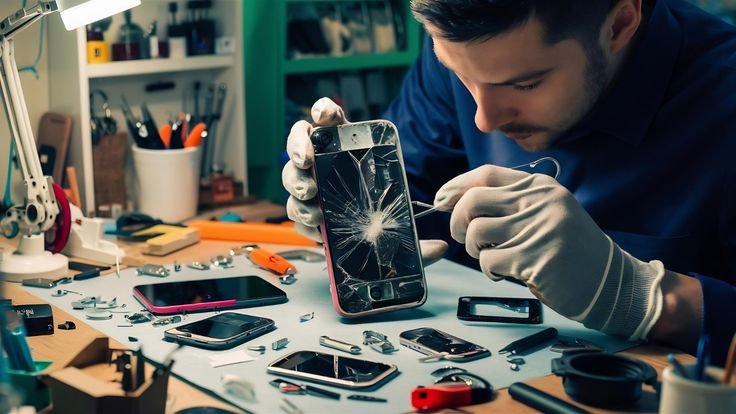
Smartphones have become an essential part of daily life. People rely on them for communication, work, education, banking, entertainment, navigation, and shopping. Although modern smartphones are more reliable than ever, they can still experience problems over time.
Issues such as slow performance, battery drain, overheating, charging failures, poor network signals, and app crashes are common across both Android and iPhone devices. Fortunately, many of these problems can be solved without replacing the phone or visiting a repair center.
This guide explains the most common smartphone problems, their causes, and practical solutions to keep your device running smoothly.
Why Smartphones Develop Problems
Several factors can affect smartphone performance over time.
Common causes include:
- Outdated software
- Insufficient storage
- Too many background apps
- Aging batteries
- Physical damage
- Malware
- Faulty accessories
- Overheating
- Water exposure
- Manufacturing defects
Understanding the cause helps you choose the right solution.
1. Slow Smartphone Performance
One of the most common complaints is a phone becoming slow after months or years of use.
Possible Causes
- Low storage space
- Too many installed apps
- Outdated software
- Background processes
- Old hardware
- Malware
How to Fix It
- Restart your phone.
- Delete unused apps.
- Remove duplicate photos and videos.
- Clear cached data.
- Update the operating system.
- Disable unnecessary background apps.
- Move files to cloud storage.
- Perform a factory reset if necessary.
2. Fast Battery Drain
Battery life naturally decreases over time, but software settings can also contribute to rapid battery drain.
Common Causes
- Maximum screen brightness
- Background applications
- GPS usage
- Mobile hotspot
- Old battery
- High refresh rate
- Poor network signal
Solutions
- Reduce screen brightness.
- Enable Battery Saver mode.
- Close unused apps.
- Turn off Bluetooth and GPS when not needed.
- Lower the refresh rate if available.
- Update apps regularly.
- Replace the battery if it no longer holds a charge.
3. Phone Overheating
Smartphones generate heat during normal use, but excessive heat can damage internal components.
Causes
- Gaming for long periods
- Fast charging
- Direct sunlight
- Background apps
- Software bugs
- Faulty batteries
Fixes
- Remove the phone case while charging.
- Avoid using the phone during charging.
- Close heavy applications.
- Move the phone out of direct sunlight.
- Restart the device.
- Install software updates.
Never place an overheating phone in a freezer, as rapid temperature changes may cause internal damage.
4. Charging Problems
Sometimes a phone refuses to charge or charges very slowly.
Possible Reasons
- Dirty charging port
- Damaged cable
- Faulty charger
- Software issue
- Battery damage
Solutions
- Clean the charging port carefully.
- Use the original charger.
- Test another charging cable.
- Restart the phone.
- Try another power outlet.
- Inspect the charging port for damage.
5. Phone Won’t Turn On
A phone that won’t power on can be alarming.
Causes
- Empty battery
- Software crash
- Faulty battery
- Water damage
- Hardware failure
Solutions
- Charge the phone for at least 30 minutes.
- Force restart the device.
- Try another charger.
- Connect it to a computer.
- Visit an authorized repair center if the issue persists.
6. Apps Keep Crashing
Applications occasionally stop working unexpectedly.
Causes
- Outdated apps
- Corrupted files
- Software incompatibility
- Low memory
- Insufficient storage
Fixes
- Update the app.
- Restart the phone.
- Clear the app cache.
- Reinstall the application.
- Update the operating system.
7. Wi-Fi Connection Problems
Poor Wi-Fi can interrupt streaming, browsing, and online meetings.
Causes
- Weak signal
- Router issues
- Incorrect settings
- Software bugs
Solutions
- Restart the router.
- Restart your phone.
- Forget and reconnect to the network.
- Reset network settings.
- Move closer to the router.
8. Mobile Network Problems
Weak mobile signals reduce call quality and internet speed.
Causes
- Network congestion
- Carrier outages
- SIM card issues
- Poor coverage
Solutions
- Toggle Airplane Mode on and off.
- Reinsert the SIM card.
- Restart the device.
- Contact your mobile carrier.
- Check for local network outages.
9. Bluetooth Not Working
Bluetooth issues prevent connections with headphones, speakers, or smartwatches.
Solutions
- Turn Bluetooth off and on.
- Restart both devices.
- Remove paired devices and reconnect.
- Update system software.
- Stay within Bluetooth range.
10. Storage Full
A full storage device becomes slow and may stop installing updates.
Fixes
- Delete unused apps.
- Remove duplicate photos.
- Transfer videos to cloud storage.
- Empty the recycle bin.
- Clear downloaded files.
- Delete large files you no longer need.
11. Camera Problems
Some users experience blurry photos or camera crashes.
Causes
- Dirty camera lens
- Software bugs
- Low storage
- Damaged hardware
Solutions
- Clean the camera lens.
- Restart the phone.
- Update the camera app.
- Free storage space.
- Reset camera settings.
12. Screen Freezing
The display may stop responding temporarily.
Solutions
- Force restart the phone.
- Remove recently installed apps.
- Update software.
- Free storage space.
- Perform a factory reset if needed.
13. Touchscreen Not Responding
Causes
- Water
- Screen protector issues
- Software bugs
- Physical damage
Fixes
- Dry the screen.
- Remove damaged screen protectors.
- Restart the phone.
- Update the operating system.
14. Phone Restarts Randomly
Possible Causes
- Software errors
- Faulty battery
- Corrupted apps
- Overheating
Solutions
- Install updates.
- Remove suspicious apps.
- Replace the battery if necessary.
- Perform a factory reset.
15. Speaker Problems
Low or distorted audio affects calls and media playback.
Fixes
- Clean the speaker grille.
- Increase volume settings.
- Disable Bluetooth.
- Restart the phone.
- Test with headphones.
16. Microphone Not Working
Solutions
- Clean the microphone opening.
- Restart the phone.
- Remove protective cases blocking the microphone.
- Test with a voice recording app.
17. Fingerprint Scanner Issues
Causes
- Dirty sensor
- Wet fingers
- Software problems
Fixes
- Clean the sensor.
- Re-register fingerprints.
- Update software.
- Dry your hands before unlocking.
18. Face Unlock Not Working
Solutions
- Improve lighting.
- Remove sunglasses if required.
- Clean the front camera.
- Register your face again.
19. Notifications Not Appearing
Causes
- Battery Saver mode
- App settings
- Notification permissions
Fixes
- Enable notifications.
- Disable Battery Saver temporarily.
- Check Do Not Disturb settings.
- Restart the phone.
20. Water Damage
Modern phones may resist water, but they are not immune to damage.
If Your Phone Gets Wet
- Turn it off immediately.
- Remove accessories.
- Dry the exterior with a soft cloth.
- Do not charge it until completely dry.
- Visit a repair center if problems continue.
Tips to Keep Your Smartphone Healthy
- Update software regularly.
- Use quality charging accessories.
- Keep storage below full capacity.
- Avoid extreme temperatures.
- Restart your phone occasionally.
- Back up important data.
- Install apps only from trusted sources.
- Use a protective case and screen protector.
Common Smartphone Maintenance Schedule
| Task | Recommended Frequency |
|---|---|
| Restart Phone | Weekly |
| Software Updates | When Available |
| Delete Unused Apps | Monthly |
| Backup Data | Weekly |
| Clean Charging Port | Monthly |
| Check Battery Health | Every 6 Months |
| Scan for Malware | Monthly |
| Review Storage Usage | Monthly |
Frequently Asked Questions
Why is my smartphone getting slower over time?
Over time, installed apps, cached files, limited storage, and software updates can reduce performance. Cleaning storage and keeping software updated usually improves speed.
Why does my battery drain quickly?
High brightness, background apps, GPS, gaming, and an aging battery are common reasons for fast battery drain.
Is overheating dangerous?
Occasional warmth is normal. However, excessive heat can reduce battery lifespan and damage internal components if ignored.
Should I charge my phone overnight?
Modern smartphones manage charging automatically, but keeping the battery between moderate charge levels may help reduce long-term wear.
How often should I restart my phone?
Restarting once a week helps refresh memory, close background processes, and improve performance.
Can low storage make my phone slow?
Yes. Keeping some free storage available allows the operating system to function more efficiently.
Is it safe to install apps from unknown sources?
Installing apps from trusted app stores reduces the risk of malware and security issues.
When should I replace my smartphone?
Consider replacing your phone if it no longer receives security updates, has severe battery degradation, or cannot run the apps you need reliably.
Final Thoughts
Most smartphone problems can be resolved with simple troubleshooting steps such as restarting the device, updating software, freeing storage, and using quality charging accessories. Regular maintenance helps improve performance, extend battery life, and reduce the risk of hardware issues.
By understanding the causes of common smartphone problems and applying the appropriate solutions, you can keep your Android or iPhone running efficiently for years. Preventive care, regular backups, and timely software updates are the best ways to ensure a reliable smartphone experience while avoiding unnecessary repair costs.




Leave a Reply